Blacklight
Blacklight
Big reverb made simple. Clearlight's engine in a closed box, set with two knobs, SIZE and DECAY, and everything a real room changes as it grows moves with them for you.
Big reverb made simple
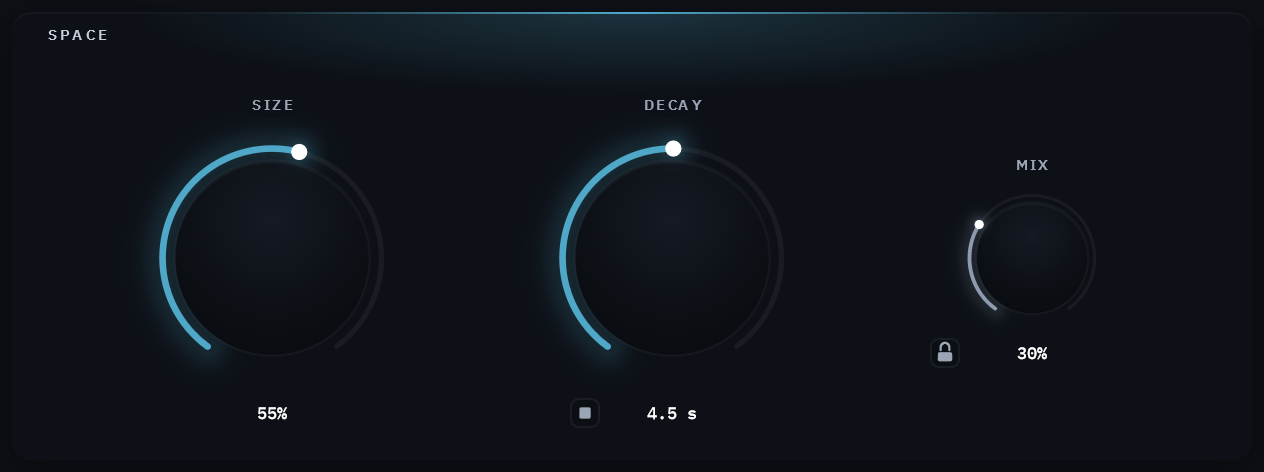
Blacklight is a reverb you set with two knobs. SIZE is how big the space is; DECAY is how long it rings. MIX, beside them, is how much of it you hear. Put it on a track, turn until the room sounds right, and get back to the mix.
Inside is the engine of Clearlight, UDI DSP's cinematic reverb: the same smooth tank, the same dense early reflections in front of it, the same Clarity keeping a voice readable inside a big space. Clearlight spreads that engine across 41 parameters. Blacklight closes the box and answers them itself, from your two: everything a real room changes as it grows moves with SIZE, and the tail darkens as DECAY lengthens, the way a long ring darkens in a real hall.
Highlights
SIZE moves the room's start, its early reflections, its smoothness and its low end together. DECAY sets the ring, from 0.35 to 30 seconds, and how dark it grows.
The same tank, the same velvet-noise early field and the same Clarity as Clearlight, UDI DSP's cinematic reverb. Not a cut-down copy: its knobs move several of the engine's settings at once.
Freeze holds the room for as long as you like, and what you play over it stays dry. The stop button at DECAY empties the tail in about 10 ms, without a click.
A glow as wide as the space and as bright as the reverb, fading as the tail fades. Three color schemes, chosen in the menu.
0 samples reported, so it never moves your timing, and next to no CPU once the tail has died away.
A padlock on MIX holds Mix, In and Out through every preset change, so each preset is heard at your blend and your levels. Saved with the session.
Three ways to light the box
The glow is the reverb: as wide as the room, as bright as the reverb is right now, fading as the tail fades. A 30-second DECAY visibly hangs; a small room snaps dark. With nothing playing, it is dark. Its colors come in three types, chosen from the Visualizer list in the menu and kept on your computer.
Halo — The default

The light in DECAY's color, a warm white that cools as a long tail darkens, inside a faint haze that follows the loudness: blue when quiet, through violet, to amber when loud.
Loudness

The whole light in one color at a time: faint blue when quiet, violet, then warm amber at the loudest.
Fed or Fading

Warm while sound is pouring into the room, blue once the room only rings, and blue under Freeze, which takes nothing in.
None of the three ever turns red: across UDI DSP's plugins, red means too hot.
SIZE moves the room, not just a number
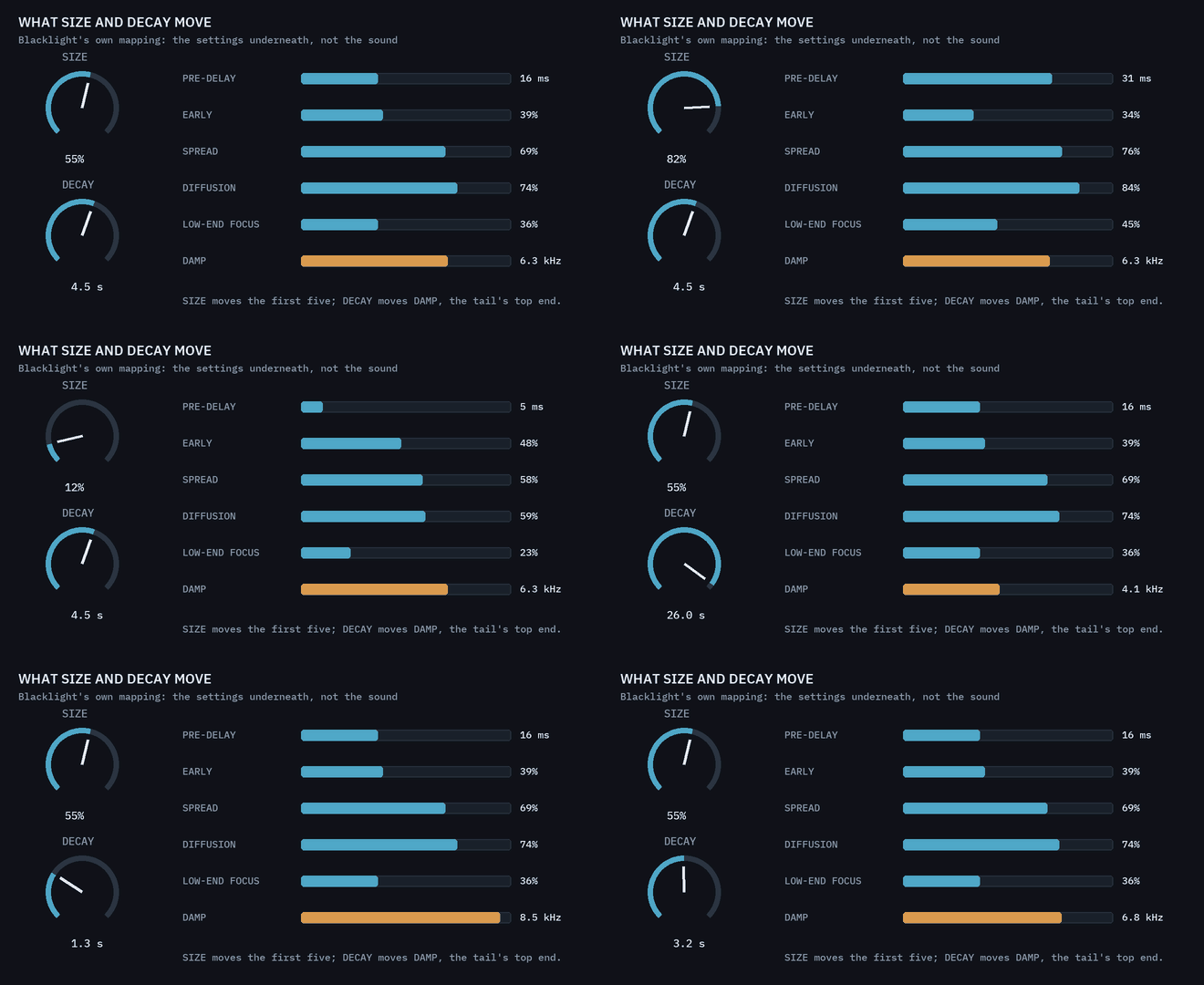
A bigger space starts later, its early reflections last longer and sit further back against the tail, the tail grows smoother and denser, and its low end is drawn firmer toward the center. Blacklight moves all of those together as you turn SIZE: pre-delay from 4 ms in the smallest room to 44 ms in the largest (16 ms at the default), growing with the square of the knob so small rooms stay tight and the gap opens only for halls.
DECAY is the ring, from 0.35 to 30 seconds, and it also decides how fast the tail loses its highs: open at 9 kHz up to a one-second ring, 6.3 kHz at the default 4.5 seconds, 4 kHz at 30. A long tail grows darker instead of turning into hiss.
Clarity stays on, at Clearlight's own default: in the tail only, it thins whatever band your source fills more than usual, so a voice stays readable inside a big space. It is the one part that follows your source; the room itself stays as you set it.
One knob, five settings that follow it
The animation under it turns SIZE and DECAY through their whole range. It is drawn from Blacklight's own mapping, the same numbers the plugin uses; it shows settings, not sound.
Hold the room, and play over it
FREEZE sits in the header, as on UDI DSP's other reverbs. It holds the tail exactly as it is, neither decaying nor darkening, for as long as it is on. What you play meanwhile is heard dry, with the room's first reflections, and is never piled onto the hold.
The stop button at DECAY empties the hold and releases Freeze in one click, so the next thing you play starts a fresh room. No preset ever sets or clears Freeze.
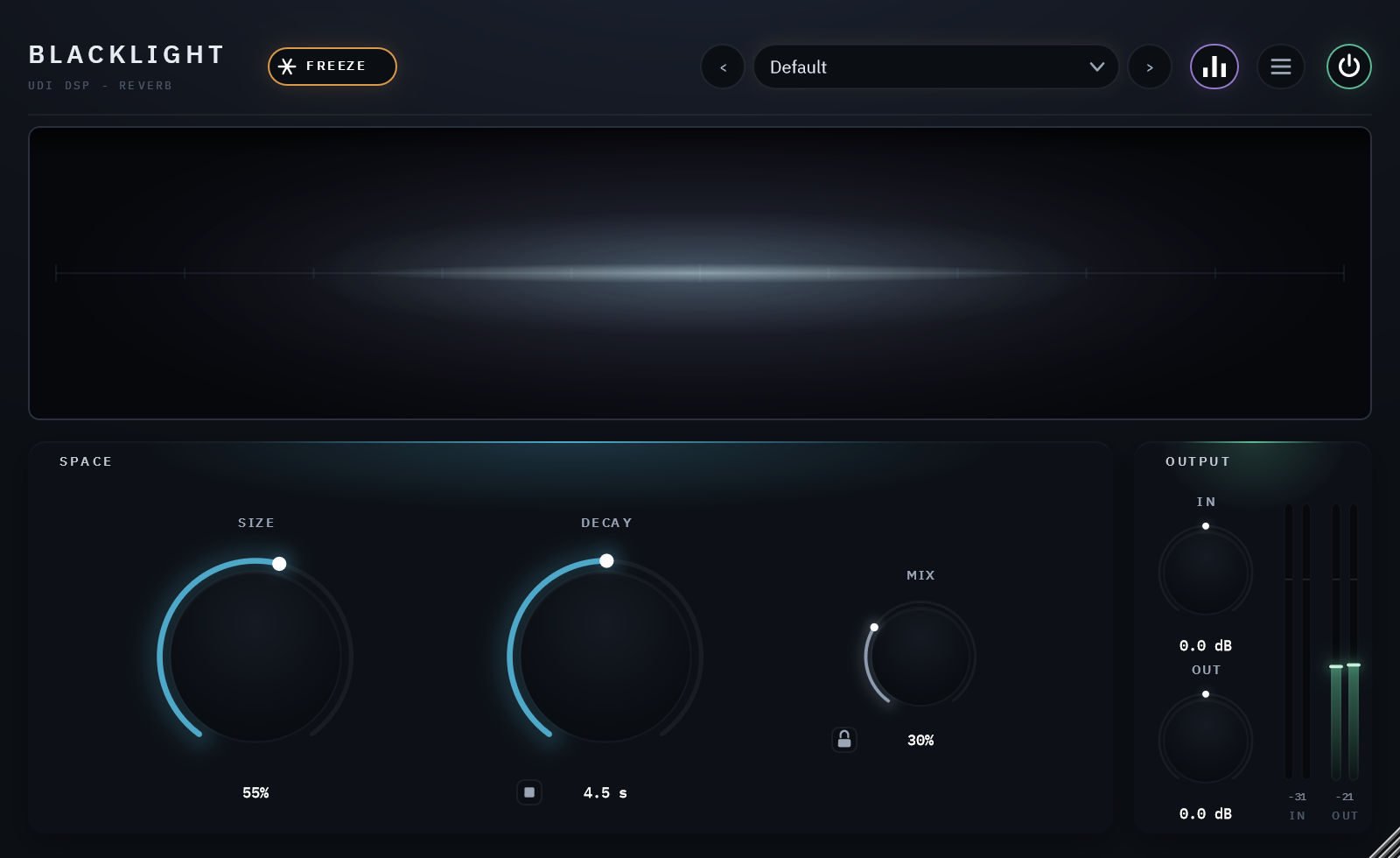
A light that shows the room
One page, nothing hidden: the display across the top; SIZE and DECAY large below it, with MIX and its padlock beside them; your levels and the meters at the right. The family's header holds Freeze, the presets, the menu and the power switch, and the panel scales from 75% to 150%.
Specifications
Clearlight's 8-line FDN with its dense velvet-noise early-field stage and Clarity, set from SIZE and DECAY
SIZE, DECAY and MIX, with In and Out trims (±24 dB) and their meters; Freeze; a stop button that empties the tail at once
0.35–30 seconds, growing darker as it lengthens
0 samples
Free UDI DSP account, one-time online activation — no subscription, works offline for a week between checks
Lightweight binary, zero background services or daemons
Compatibility
- Windows: Windows 10 or 11, 64-bit.
- Windows plugin formats: VST3 and AAX.
- macOS: Apple Silicon: macOS 11 Big Sur or later.
- macOS: Intel Mac: macOS 10.15 Catalina or later - limited support (they are old platforms not supported by Apple). Please try the free 14-day trial to verify compatibility.
- macOS plugin formats: AU, VST3 and AAX.
- Internet needed once, briefly, to activate (a short browser sign-in). Day-to-day use after that works offline for up to a week between checks.
- Validated in Cubase Pro, Avid Pro Tools, Apple Logic Pro, Reaper, Waveform and FL Studio.